FDFmod 1.0 for ARMA 2 + Operation Arrowhead and
ARMA 2: Combined Operations
How to install (retail version)
1. Make sure you can run ARMA 2: Combined Operations. For instructions on how to combine ARMA 2 and ARMA 2: Operation Arrowhead prefer to this thread in Bohemia Interactive’s forum: http://forums.bistudio.com/showthread.php?t=101214
2. Run the ArmA2_FDFmod.exe (it will take a while to load)
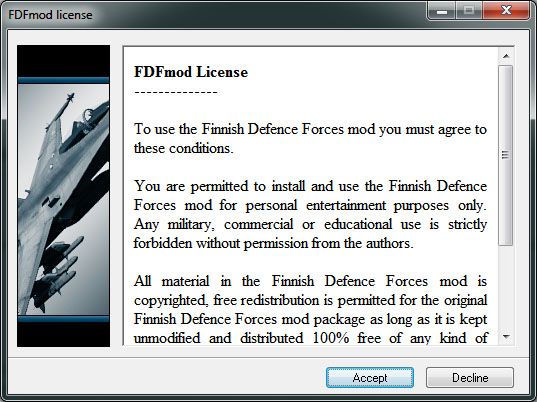
3. Proceed by clicking Accept
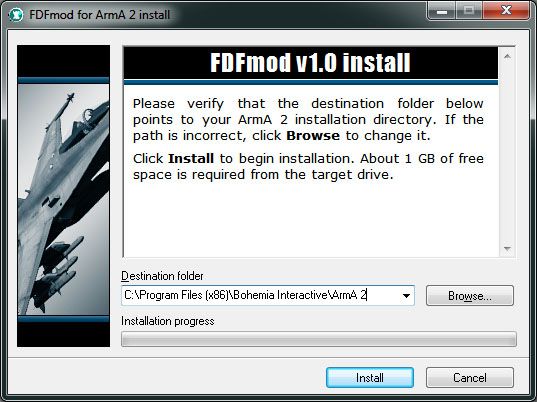
4. Select your ARMA 2 folder. Default folder is shown in the screen capture below. If you have installed ARMA 2 to some other folder click Browse to select it.
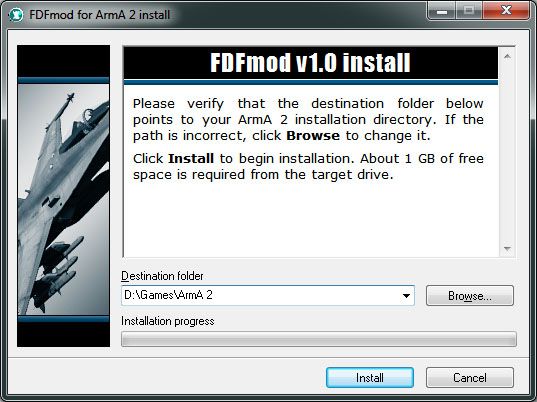
5. For example if you have installed ARMA 2 to D:\Games\ArmA 2, installer should look like this.
6. Click Install and wait for the installer to extract all files. FDFmod readme will open when installation is complete. Readme can be found in your ARMA 2 folder.
7. Start ARMA 2 with Operation Arrowhead expansion (Combined Operations).
8. Once the game has loaded click Expansions.
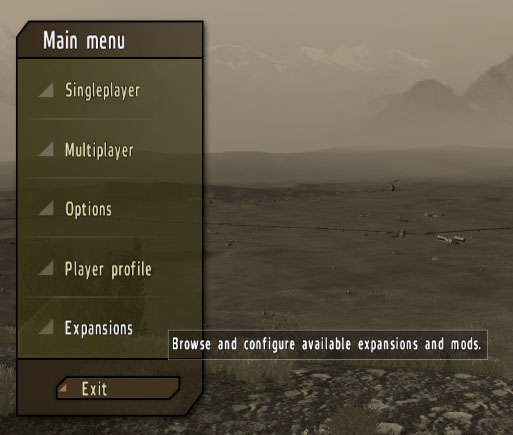
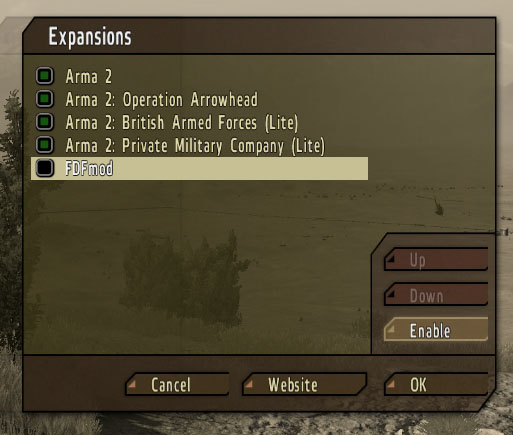
9. Expansions menu will open. Select FDFmod and click Enable.
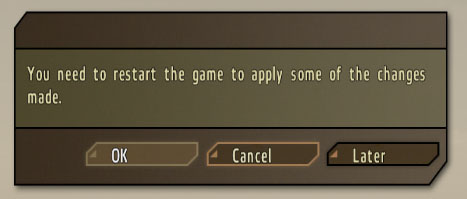
10. You will be prompted to restart the game. Click OK.
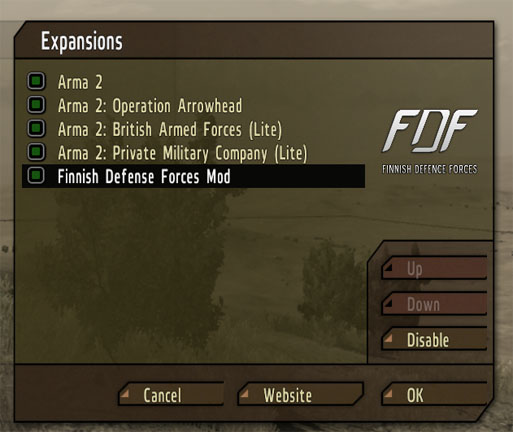
11. FDFmod 1.0 is now activated. To disable FDFmod 1.0 go to Expansions menu, select Finnish Defense Forces mod and click Disable. Restart the game when prompted.
18 Comments
Log in to post a comment.
Im soooo not understanding how to combine Arma 2 and OA O_o Damn it!
Does this work on ArmA2 Reinforcements?
jea
can you change skin F/A-18C hotnet american version pls VMFA 314 …nice work
Will the Hawk MK 51A or 66 be added to the mod by any chance?
I have no subtitels in the missions is that normal?!
Onnistuuko asennus arma2 reinforcements peliin, ja jos niin miten? Kiitos!
Juu itse itselleni vastaten onnistuu reinforcements:iin JOS asentaa 1.60 päivityksen muilla ei. Mahtava modi!! Hyvä jätkät
please tell me what is going on. i was sooooo exited to finally downloed the FDF mod and when i was done i went to expznsions and nothing was thir. i got very frustrated please email me back.
MY EMAIL IS CHASEPOPOVIC@ROCKETMAIL.COM
This the most stupidest mod ever it doesn’t even work
This the most stupidest mod ever
It just wont work on Multiplayer.
Excellent. I agree.
Hello there, I just wanted to see if you ever have had any problems with hackers?
My last joomla blog at http://www.fdfmod.org/a2-install/ was hacked and I
wound up losing several months of hard work due to no
backup. Do you have any solutions to stop
It’s quite a breath of fresh air the minute you come upon an individual online that knows what they’re writing about.
I have to say: you genuinely fully grasp practical ideas on
how to bring this problem to light and make it
substantial Many more people must study this and understand your side of the story.
. I’d like to see you become more popular, because you definitely have something special to provide. I have got to ask though, but where did you obtain your blog theme: did you find it elsewhere or did you design it personally? With a theme like the one you have, my blog could really stand out more. Tell me where you got your template when you get the opportunity.
ei vissiin toimi jos on uudempi kuin 1.54???????
How do you download it?
Onkos missä se mod operation flashpointtiin, onko se viety roskiin kun ei näy missään, tai ainakaan ei iskenyt silmään missä se voisi olla. pelasisin sitä aikoinaan, oli hyvä.